
Your space, your people, your decisions
See what your teams are learning, and improve what isn't working: who has started, who has finished, who to follow up with, who has earned their attestation.
Six questions a manager asks
Click one to see the screen that answers it.
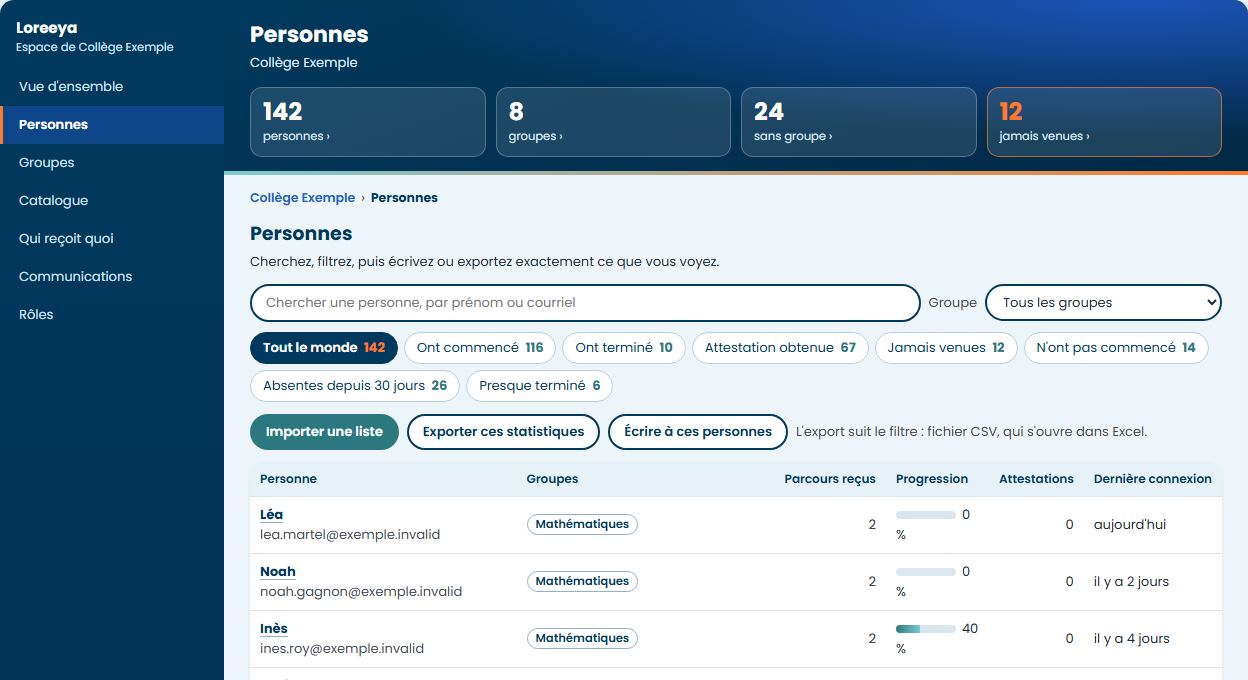
Every person, at a glance
Search, filter by group or status, keep a view as a favourite, and export the filtered list to Excel.
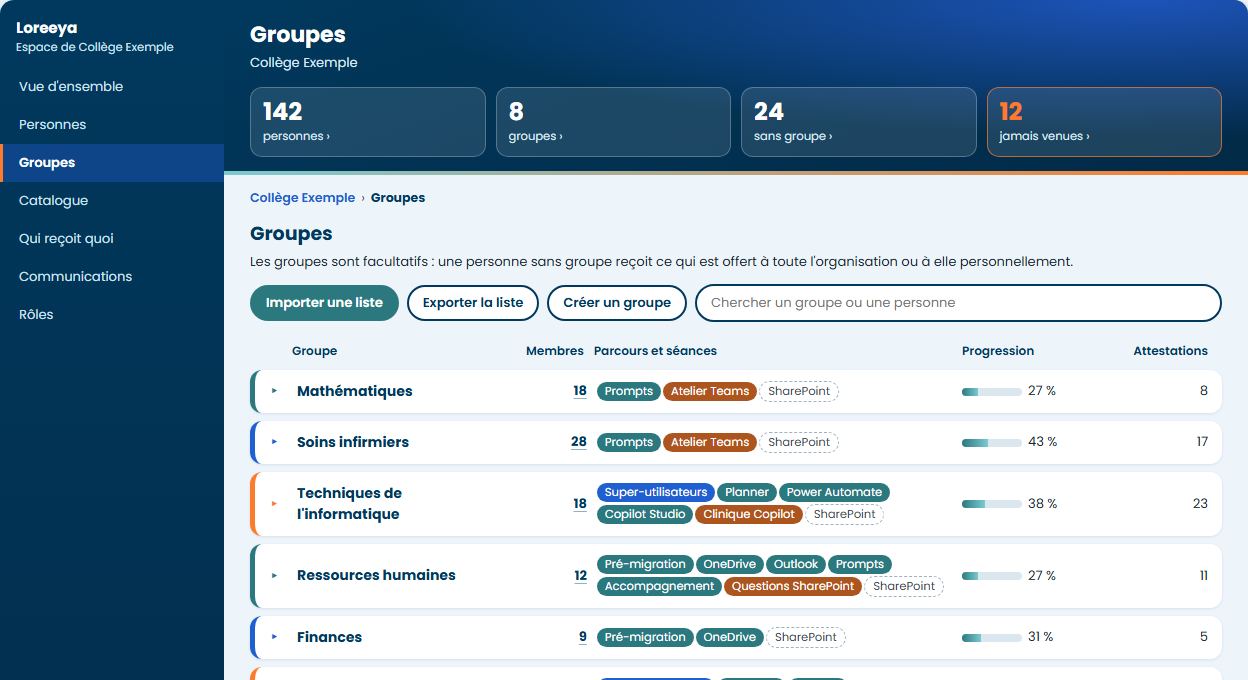
Groups in your image
Import your list, fix errors on screen before they get in, and place one person in several groups.
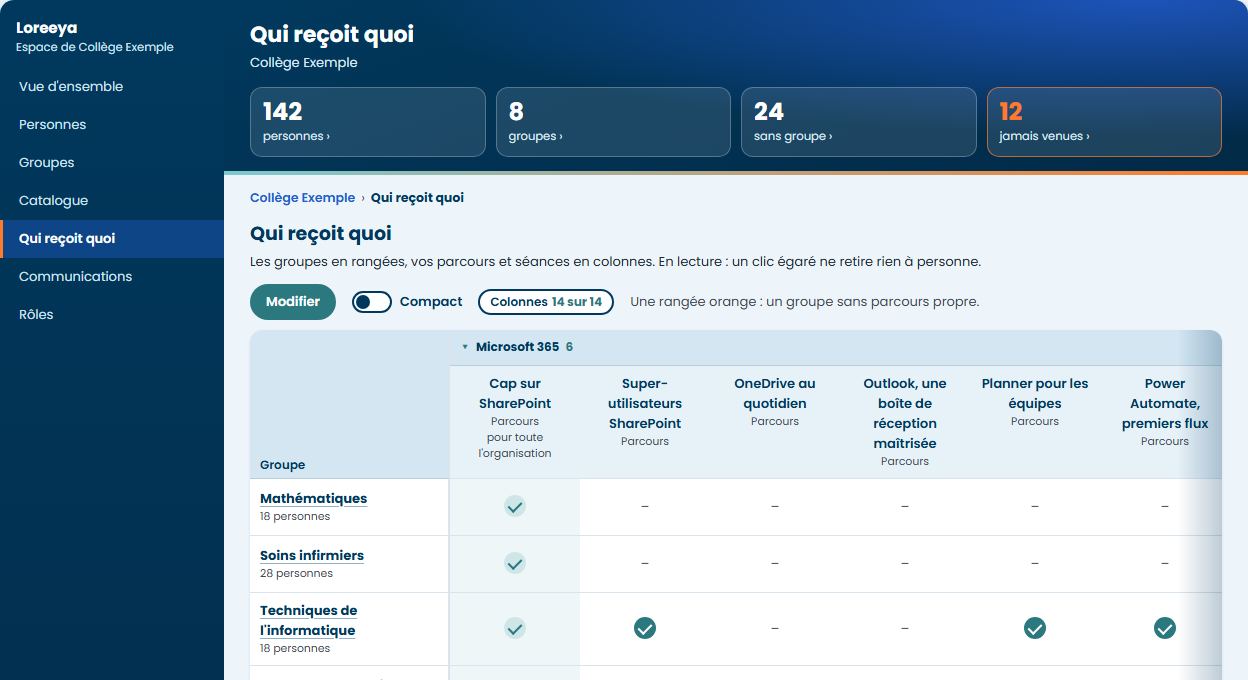
The right path for the right people
The whole organization, one group or one person: you decide, and you see it all on one screen.
Loreeya leads, Teams is the room
You invite a group, people register in one click, the calendar and the reminder follow, and you see who came and for how long.
Workshop: finding a document
- When
- Thursday, November 12, 10:00, 60 minutes
- Where
- Teams meeting
- Reminder
- The day before, by email
- Seats
- 18 registered out of 25
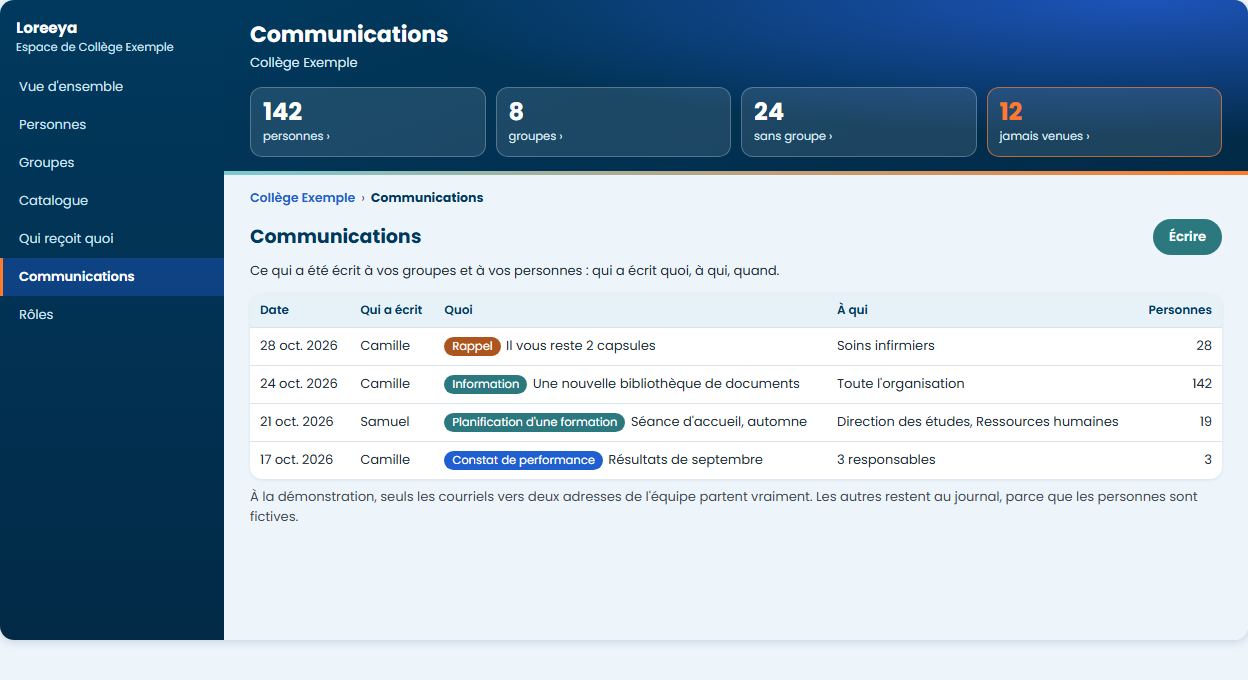
Write without leaving the panel
Information, an invitation or a reminder, to a group or to the people who have not started. You see the email before it goes.
Everyone sees what they should
Administrator, progress lead, trainer, group manager. You assign the roles yourselves, and everything goes in the log.
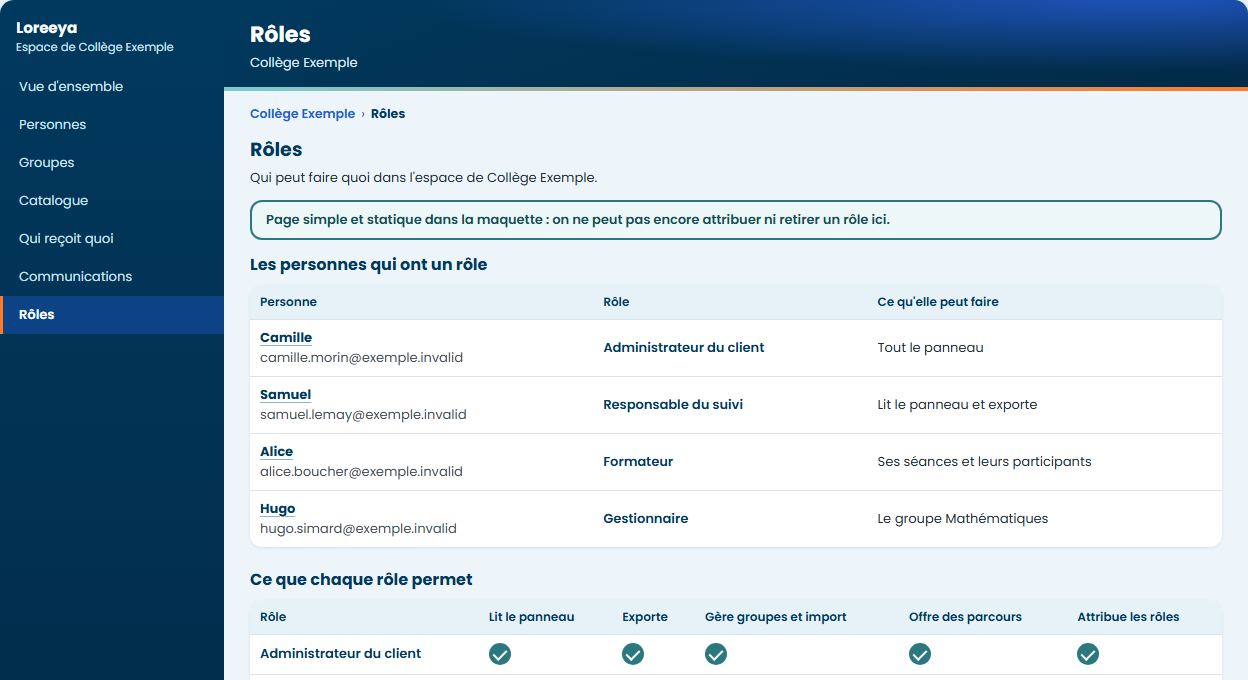
Demonstration environment, fictional data. Screens in French.
What you set, and what we set with you
You, in your panel
- Your groups and their members
- Importing your list
- Who receives which path
- Your managers' roles
- Sessions and registrations
- Emails to your people
Loreeya, under your agreement
- The courses and their updates
- The attestation rule
- The passing grade of the short tests
- Locking a path in order, if you want one
- Hosting, backups and support